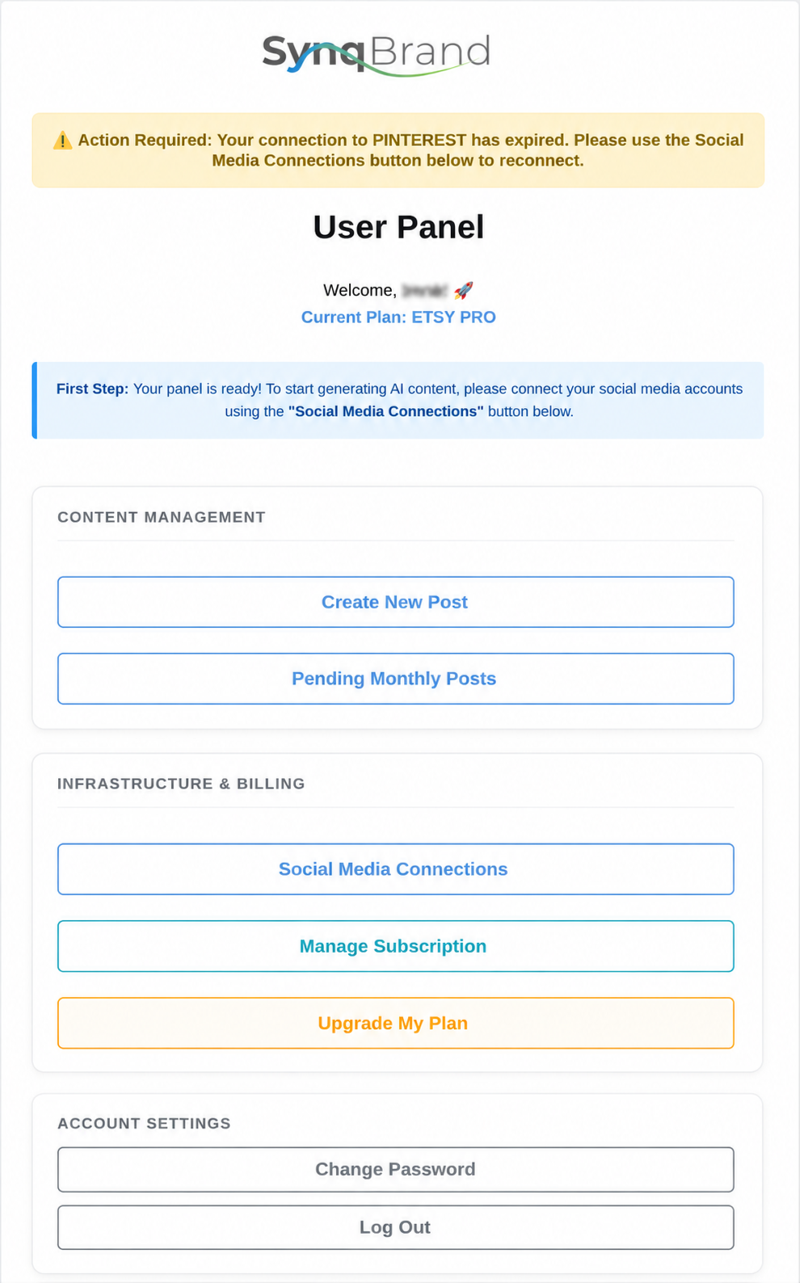
The User Panel Home is the main starting point of your SynqBrand workspace. It is divided into three clear sections so you can quickly reach the few actions that require your attention.
This is the section you will use most often in daily operation.
In normal day-to-day use, these are the only two buttons you will usually need.
This section is mainly used during setup or when you need to manage your subscription.
The Account Settings section contains the standard password and sign-out controls.
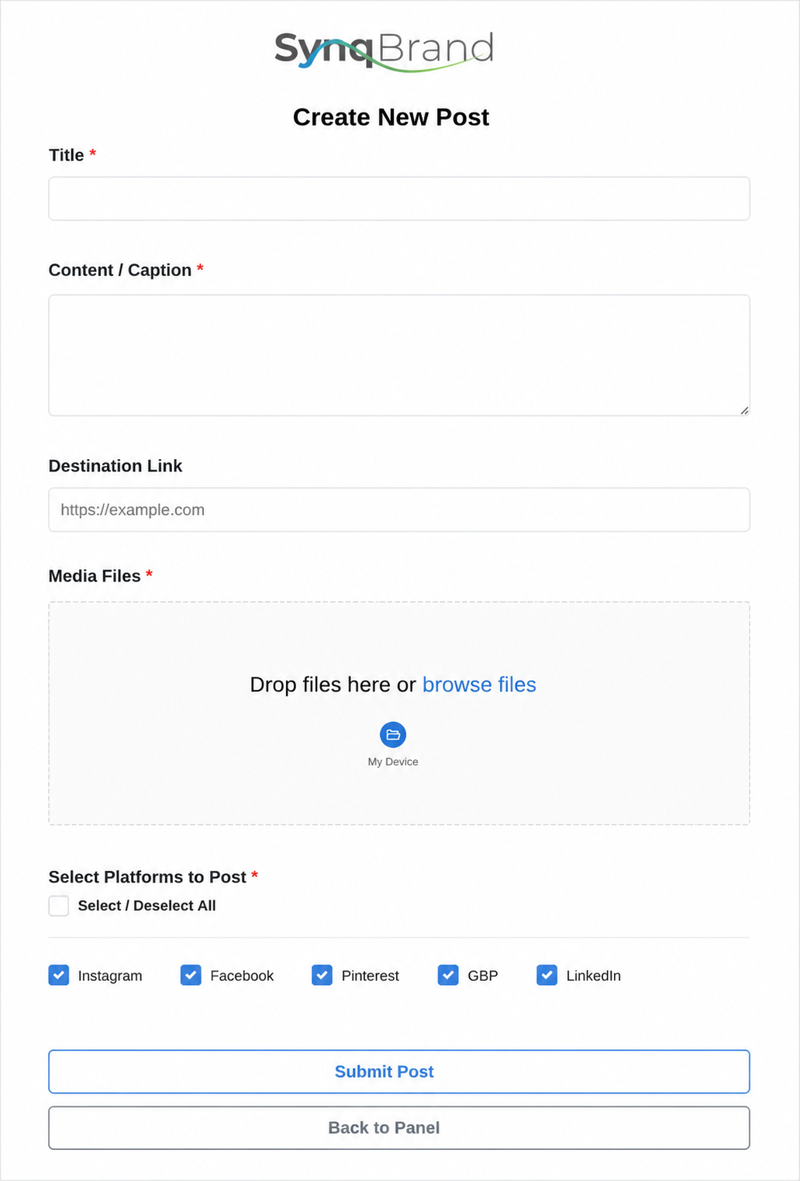
Use this page whenever you want to publish a specific announcement, campaign, offer, event or business update outside your automatic monthly content plan.
You do not need to prepare separate captions, hashtags or platform formats. Simply provide the main idea, upload your media and select where the post should be published. SynqBrand completes the marketing execution for the selected platforms.
You only need to explain what you want to communicate. Your input can be short and informal; SynqBrand turns it into complete platform-specific content.
The system manages writing, platform adaptation, calls to action, formatting and the connected publishing process.
Use the Back to Panel button whenever you want to return to the main User Panel without submitting a post.
SynqBrand automatically prepares your monthly content according to your Business Profile, target audience, content strategy, current topics, seasonal opportunities and platform requirements.
When the monthly posts are ready, you receive an email notification. Open this page to review the prepared content and make the final approval decision.
You do not need to plan, write or adapt the monthly posts yourself. Your role is limited to reviewing the final output and approving or rejecting it.
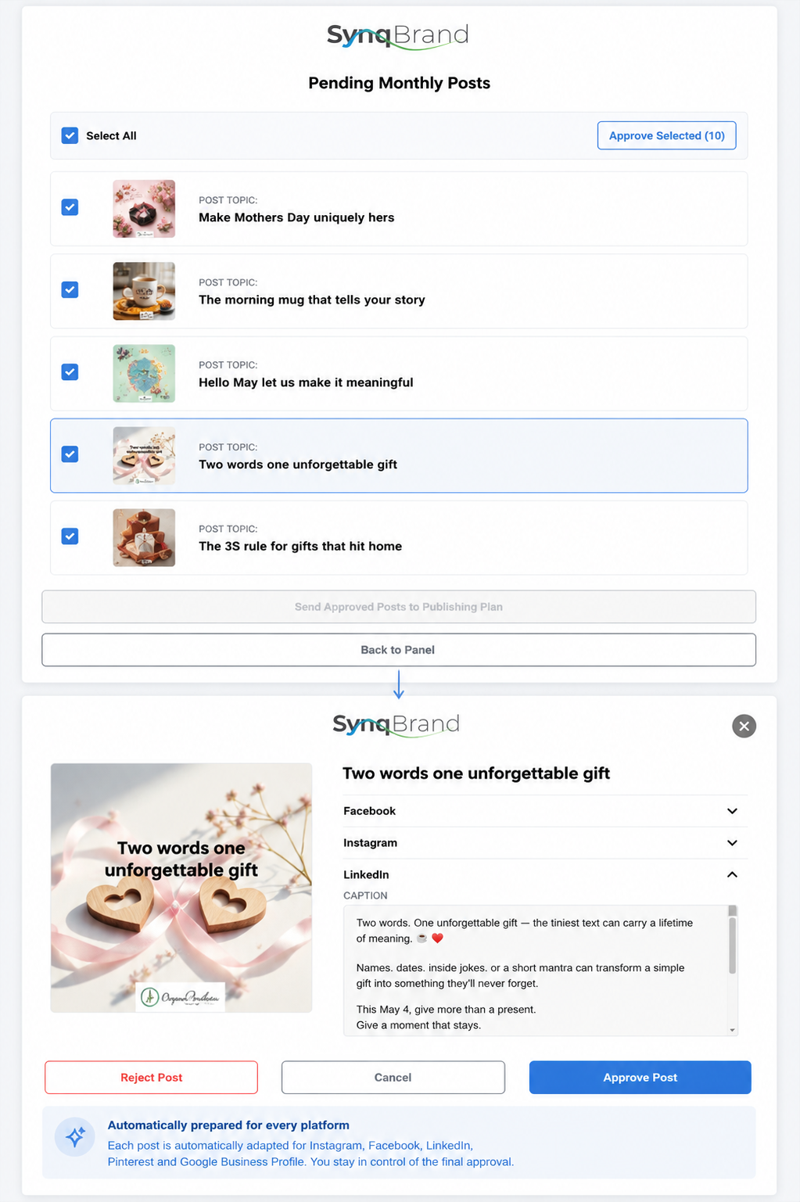
The first screen shows the automatic posts prepared for the current monthly cycle. Each item includes its visual and post topic so you can quickly understand the content before opening the full details.
Open a post to view its visual, topic and the platform-specific versions prepared by SynqBrand.
The central business message remains consistent, but each platform receives its own version according to its format, audience and communication style.
Each approved idea is adapted separately for Instagram, Facebook, LinkedIn, Pinterest and Google Business Profile where those platforms are connected. You do not need to rewrite the post for each channel.
Automatic monthly posts can be approved or rejected. The review process is designed to preserve control without turning the user into the content editor.
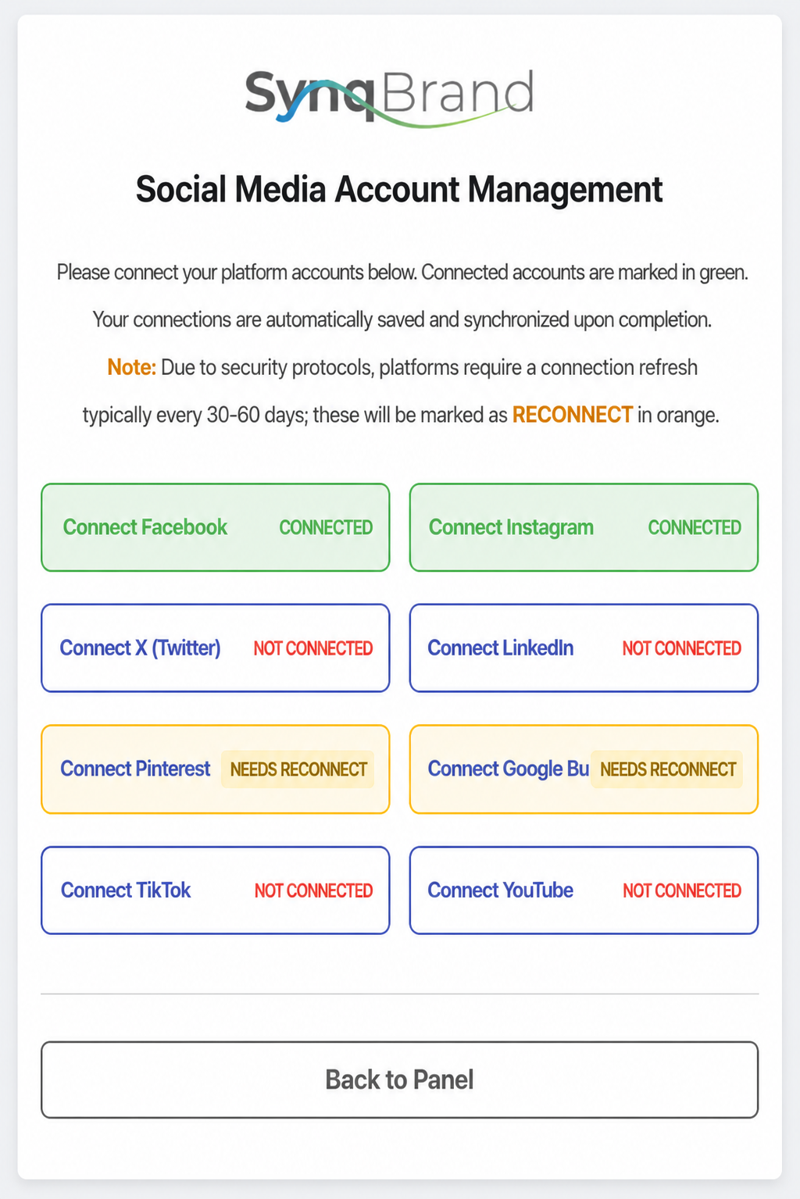
Use this page to connect the social media and business platforms that SynqBrand will use for publishing.
Select the platform you want to connect. A secure authorization window will open, where you can sign in and grant the required permissions. When the authorization is complete, the window closes and the platform appears as connected in your workspace.
Account access is authorized directly through the platform’s own secure connection window.
Some platforms expire connection permissions after a certain period. When this happens, SynqBrand marks the account as Needs Reconnect and may also display a warning on the User Panel.
Connect only the accounts that belong to your business and that you are authorized to manage.
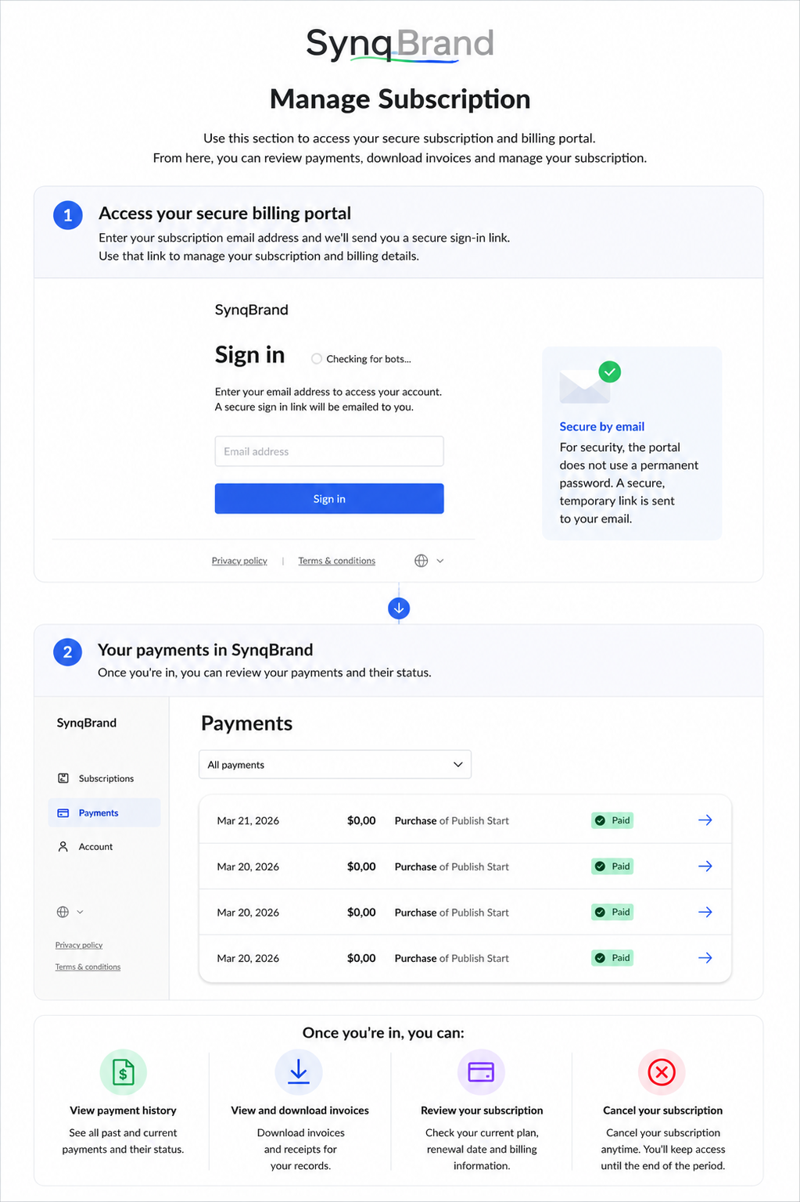
Use this section to access your secure subscription and billing portal. From here, you can review payments, download invoices, update account information and manage your active membership.
For security, the portal does not use a permanent password. Instead, you enter the email address linked to your SynqBrand subscription and receive a temporary sign-in link by email.
Enter the same email address used when purchasing your SynqBrand plan. A secure, temporary access link will be sent to that address.
If no access email arrives, first confirm that you entered the same email address used for the original subscription.
The billing portal is separate from your main SynqBrand workspace so subscription and payment information can be managed through a dedicated, secure environment.
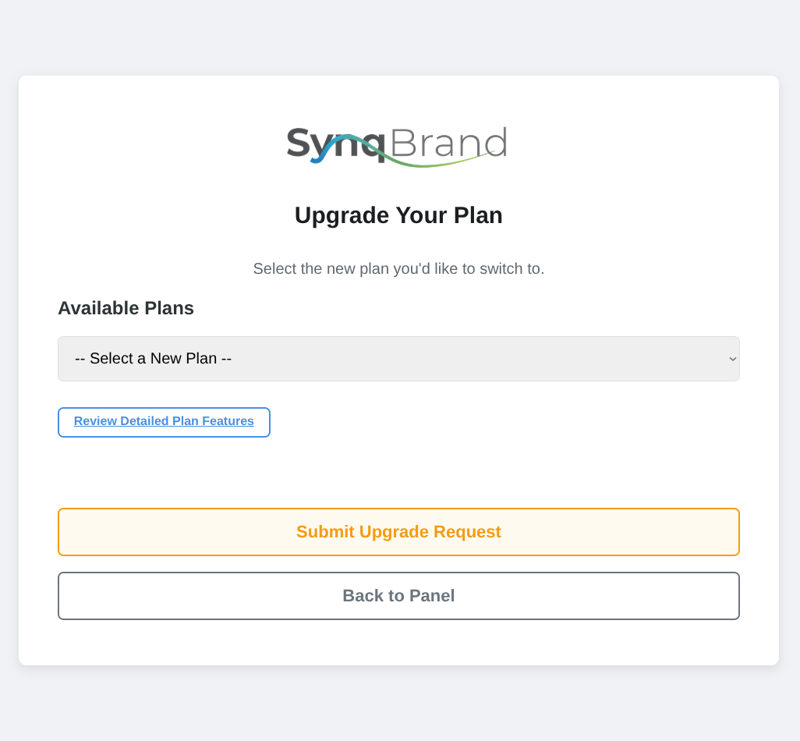
Use this page when you want to move to another SynqBrand package or access additional features and capacity.
Review the available options, select the plan that best matches your current business needs and submit your upgrade request.
You can return to this page whenever your business needs additional publishing capacity, automation or growth features.
Use the Back to Panel button to return without submitting a plan change request.